
Bring the contacts.
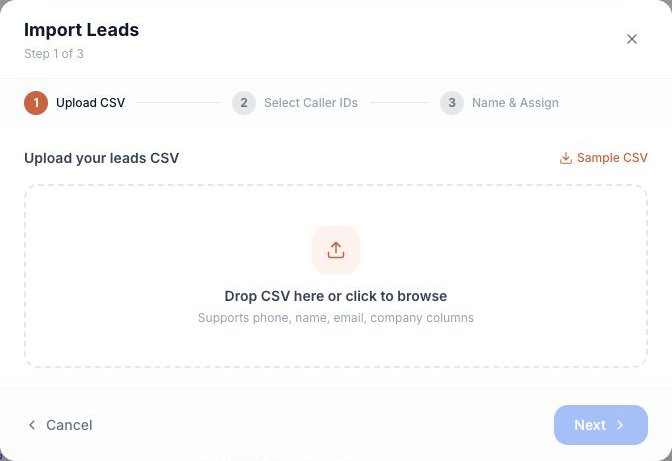
Upload your leads in bulk from a CSV. Keep names, numbers, email addresses, and company details together.
Bring your contacts. Find your rhythm.
Power dialing and live coaching, built around your team.
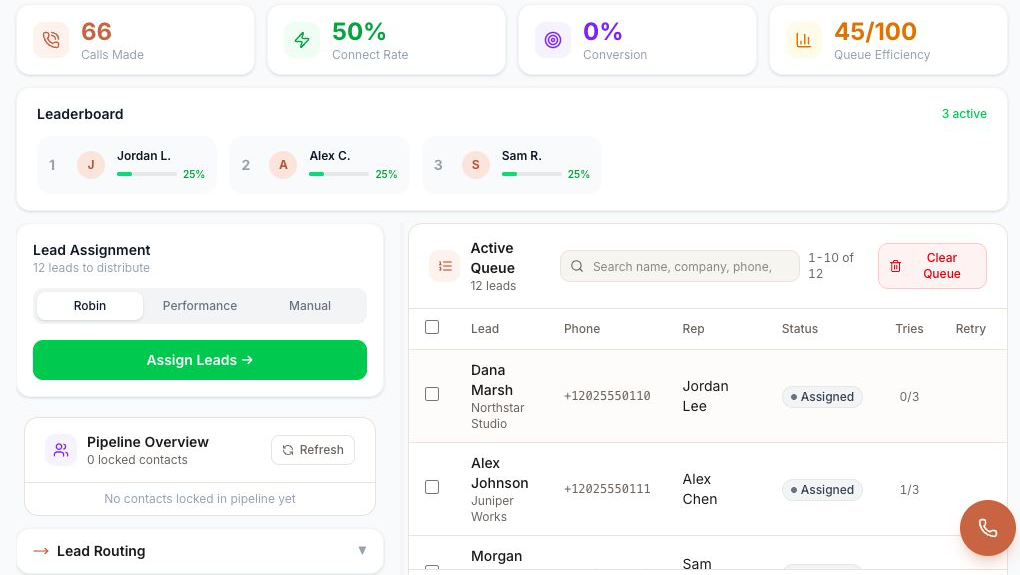
Actual Fivra interface · fictional demo data · illustrative metrics
Upload your leads in bulk from a CSV. Keep names, numbers, email addresses, and company details together.
Assign leads across your team. See who owns each contact, its status, and the number of call attempts.
Work through the queue with the power dialer, with your next contact ready when you are.
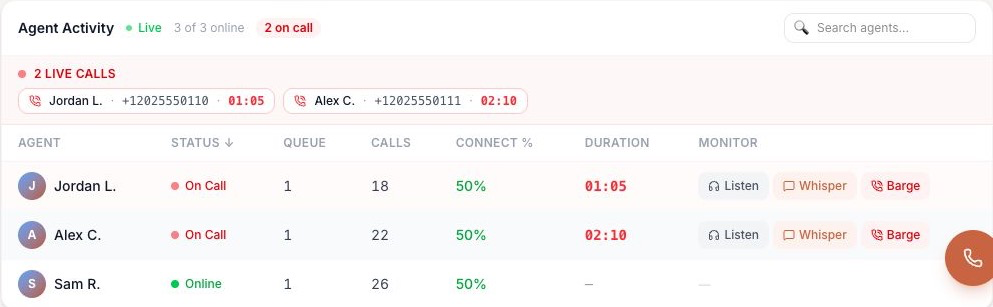
See who’s on a call. Listen in, offer private guidance, or join the conversation when it matters.
A spreadsheet is a starting point. Turn it into an organized calling workflow your whole team can work from.
Give managers a clear view of agent activity—and the right way to step in.
Listen to a live call silently. Hear the context and understand where your rep could use support.
Speak privately to your rep during a call. Help with the next question or the next step.
Enter the conversation with both the rep and the customer when a second voice can help.
For teams of five or more that want a focused calling workspace, with the tools to organize, dial, and coach.
Teams is coming soon. Talk with us about availability and getting your team set up.
Only need a business number? Explore Second Line ↗USD. Seat subscription only. Usage and additional services may incur separate charges. Broadcasts are a separate product.
Yes. The dialer’s CSV import supports phone, name, email, and company columns. You can select caller IDs and assign leads as part of your workflow.
The Agent Activity view shows agent availability, active calls, queue counts, call counts, connection rate, and call duration, with controls for listening, whisper coaching, and barge.
Yes. Teams includes a second number and 200 daily text messages per user, plus power dialing and live coaching tools.
No. Teams focuses on dialing and individual conversations. Explore Broadcasts if you need messaging campaigns.
Five users cost $124.95 per month in seat fees. Usage and additional services may incur separate charges. The calculator above estimates your monthly seat total.
Teams is coming soon. Contact our team to discuss availability and your setup.